
Vybrané reference našich klientů
Komerční banka

 As an expatriate and furthermore as a non-czech speaking person, it is never easy to find someone that can help when you face IT issues. UNICOMP was warmly recommend to me and I can confirm that the services they delivered were fully up to my expectations. Ondrej and his team are able to speak English so it makes it possible to explain the issues to them. The team is experienced, transparent and the response time is great. I used their services on several occasions for different types and brands of computer and I have always been very pleased with the outcome. For all those reasons, I can only recommend them to anyone facing some issues with his/her personal computers or IT installation.
Výkonný ředitel pro Marketing a Komunikaci - Patrice Begue
Lékárna u Lávky
 S firmou UNICOMP spolupracujeme mnoho let. Stará se nám o SW i HW v naší lékárně a spolupracujících lékařských praxích.
 Psychiatr - MUDr. Miloš Rýc
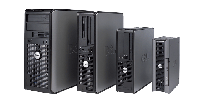
Tonery a cartridge

Doručíme po Praze zdarma do 4 hodin od objednávky! A jsme levnější!
Správa sítě
Postaráme se o vaše technologie s maximální odpovědností.
Prodejna - Praha 5
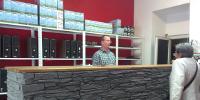
Prodej a servis počítačů, Radlická 47, Praha 5. Otevřeno Po-Pá 10-18 hod.
Joomla!
Administrator Components
All components also are used in the administrator area of your website. In addition to the ones listed here, there are components in the administrator that do not have direct front end displays, but do help shape your site. The most important ones for most users are
- Media Manager
- Extensions Manager
- Menu Manager
- Global Configuration
- Banners
- Redirect
Media Manager
The media manager component lets you upload and insert images into content throughout your site. Optionally, you can enable the flash uploader which will allow you to to upload multiple images. Help
Extensions Manager
The extensions manager lets you install, update, uninstall and manage all of your extensions. The extensions manager has been extensively redesigned for Joomla! 1.6, although the core install and uninstall functionality remains the same as in Joomla 1.5. Help
Menu Manager
The menu manager lets you create the menus you see displayed on your site. It also allows you to assign modules and template styles to specific menu links. Help
Global Configuration
The global configuration is where the site administrator configures things such as whether search engine friendly urls are enabled, the site meta data (descriptive text used by search engines an indexers) and other functions. For many beginning users simply leaving the settings on default is a good way to begin, although when your site is ready for the public you will want to change the meta data to match its content. Help
Banners
The banners component provides a simple way to display a rotating image in a module and, if you wish to have advertising, a way to track the number of times an image is viewed and clicked. Help
Redirect
The redirect component is used to manage broken links that produce Page Not Found (404) errors. If enabled it will allow you to redirect broken links to specific pages. It can also be used to manage migration related URL changes. Help
Editors-xtd
These plugins are behind the buttons found beneath your editor. They only run when an editor plugin runs.
Default on:
- Editor Button: Image
- Editor Button: Readmore
- Editor Button: Page Break
- Editor Button: Article
Default off:
- None
Feed Display
This module allows the displaying of a syndicated feed. Help
Who's Online
The Who's Online Module displays the number of Anonymous Users (e.g. Guests) and Registered Users (ones logged in) that are currently accessing the Web site. Help
Getting Help
 There are lots of places you can get help with Joomla!. In many places in your site administrator you will see the help icon. Click on this for more information about the options and functions of items on your screen. Other places to get help are:
Podkategorie
Extensions
The Joomla! content management system lets you create webpages of various types using extensions. There are 5 basic types of extensions: components, modules, templates, languages, and plugins. Your website includes the extensions you need to create a basic website in English, but thousands of additional extensions of all types are available. The Joomla! Extensions Directory is the largest directory of Joomla! extensions.